


Apple Creative Studio is a great value for a suite of great professional apps. It also consists of a fairly polarizing set of app icons based on the internet’s reaction to yesterday’s news. However, it turns out that these app icons are not enforced for all users of apps included in the suite.
Apple says in an official support document that users will be able to install both standalone purchased versions and Apple Creative Studio versions of apps like Final Cut and Logic. Apple is keeping some AI features in subscription versions of professional and productivity apps, but standalone app versions will continue to be supported.
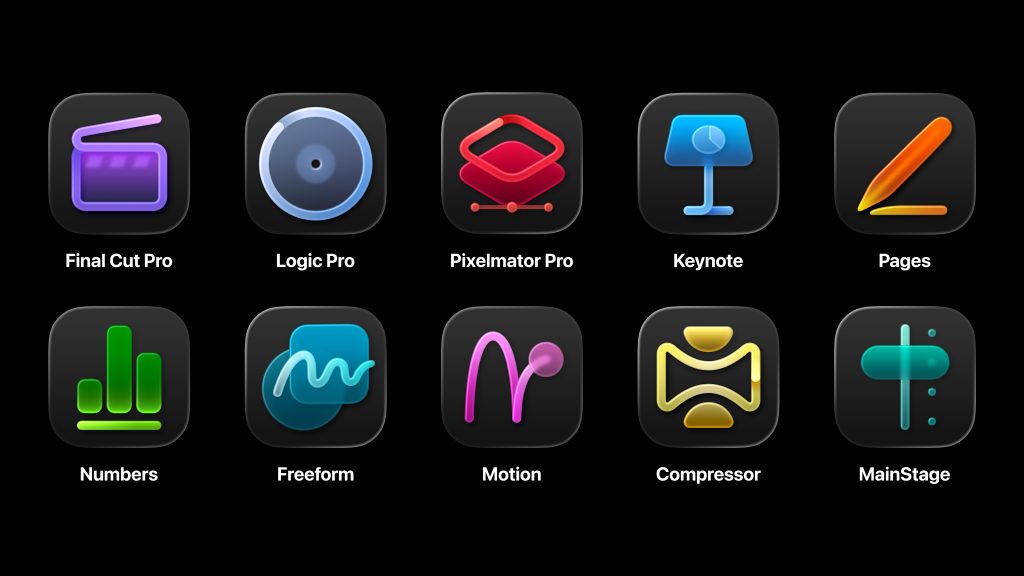
In fact, that new icon set unveiled this week will signal that those apps should be purchased in Apple Creative Studio rather than the standalone version. Apple says in a support document:
Final Cut Pro, Motion, Compressor, Logic Pro, MainStage, and Pixelmator Pro are also available as one-time purchases for Mac in the App Store. If you previously purchased one of these apps and also have an Apple Creator Studio subscription, you can use either version of the app. You can install both versions of these apps on your Mac. To help you distinguish between versions, Apple Creator Studio apps have unique icons.
This is a new and interesting approach for Apple’s Mac apps. Learn more about Apple Creative Studio, released on January 28th.





